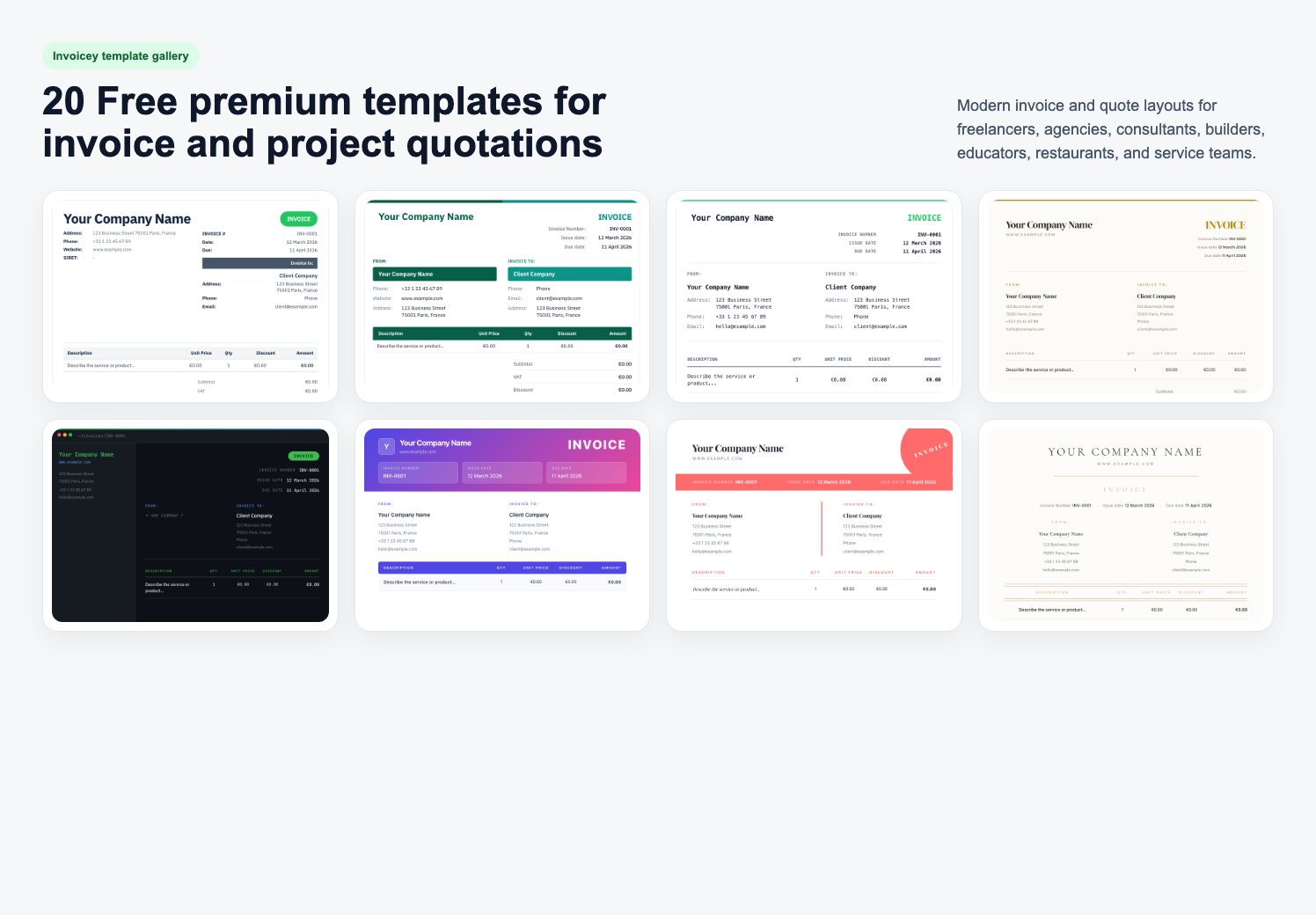
If you search for a free invoice template in Word, you probably want three things: a clean layout you can send to a client today, fields that actually match how you bill, and a download that works in Microsoft Word, Google Docs, or Pages without breaking.
This guide covers exactly that. Below are 10 free Word invoice templates — one for each profession that most commonly invoices clients — ready to download right now. Underneath them you'll find a short walkthrough on how to create invoices, tax handling, and formatting tips. Every template is also a simple invoice template in Word you can open, edit, and send in minutes.
10 free Word invoice templates (download .doc)
Each template is a .doc file that opens directly in Microsoft Word, Google Docs, and Pages. Pick the one that matches your work, click Download .doc, and replace the bracketed placeholders with your details. Prefer to skip the manual formatting? Create a free invoice online instead.
How to create invoices (in 6 steps)
Whether you want a simple invoice template, a free Word download, or a full online tool, the process of creating an invoice is the same. Follow these six steps and you'll have a professional document ready to send:
- Pick a format. A free invoice template in Word is the fastest way to start. If you prefer a spreadsheet, an invoice format template (Excel) also works — the fields are identical.
- Add your business block. Name, address, email, phone, logo, and your tax ID (VAT / ABN / EIN) if you have one.
- Add the "Bill To" block. The client's full legal name and address — this is what makes an invoice valid for accounting.
- Number and date the invoice. Use a sequential invoice number (
INV-0001,INV-0002…), an issue date, and a due date. - List each line item. One row per service or product with description, quantity/hours, unit rate, and amount. Clarity gets you paid faster.
- Total it up and send. Subtotal, tax, and total on three separate lines. Save as PDF and email it — or better, create an invoice free online and let the tool calculate and deliver it for you.
That's it. The rest of this guide gives you the ready-made templates and the details that matter when you're actually sending the invoice to a client.
Why use a Word invoice template?
Microsoft Word is still one of the most practical places to build an invoice. You already know the tool, the file is editable on any computer, and you don't have to sign up for tool just to bill a single client.
- No login, no subscription — download, edit, send.
- Universal compatibility — Word, Google Docs, LibreOffice, and Pages all open
.docfiles. - Offline friendly — great for contractors working on-site or in low-signal environments.
- Brand-ready — drop in your logo, update the accent color, and you have a branded document in minutes.
The trade-off: Word won't calculate totals or track payments. For occasional invoicing that's fine. If you send more than a handful per month, graduate to an online tool — you can create a free invoice online without giving up the Word-style look.
What makes a good Word invoice template?
A template is more than a pretty header. Before you download anything, check that it includes:
- Your business details — name, address, email, phone, and (if applicable) VAT / tax / ABN / EIN number.
- Client details — who is being billed, with a clear "Bill To" block.
- Unique invoice number — sequential, no duplicates. This matters for accounting and tax filing.
- Issue date and due date — separate fields, not combined. Due date drives when you can chase payment.
- Line items — description, quantity or hours, unit rate, and amount. One row per service.
- Subtotal, tax, total — three distinct lines. Never roll tax silently into the total.
- Payment terms and method — net 14, net 30, bank details, or a payment link.
Everything below ships with these fields already laid out. You only need to replace the placeholder text.
How to edit a Word invoice template
- Download the file and open it in Word (or upload to Google Docs).
- Replace your business block at the top — name, address, contact details, and logo if you have one.
- Update the "Bill To" with the client's full legal name and address.
- Set the invoice number and dates. Keep numbering sequential across all invoices (
INV-0001,INV-0002…). - Replace the line items with the work you're billing for. Describe it clearly — "Landing page design, 2 revisions" is better than "Design work".
- Recalculate the totals. Word does not auto-sum — double-check subtotal, tax, and total before sending.
- Export to PDF (File → Save As → PDF) before emailing. PDFs preserve formatting on every device.
Tax handling tips by country
Tax is the single most common invoice mistake. The generic "Tax: 10%" placeholder in most free templates won't satisfy your accountant — or the tax authority in your country. Adjust these yourself:
- UK: include your VAT number and show VAT as a separate line (20% standard rate).
- EU: include your VAT registration number; for B2B cross-border, add a reverse-charge note.
- Australia: include your ABN, mark as "Tax Invoice" if over AUD 82.50, and show GST at 10%.
- US: no federal sales tax, but state-level sales tax may apply depending on your goods and state of operation.
- Canada: include your GST/HST number and show the correct provincial rate.
If you invoice clients in multiple countries, a dedicated tool that applies the right format automatically saves real time — see our guide to invoice management tools.
When to move beyond Word
Word templates are perfect when you send a few invoices a month. They stop scaling the moment you need any of the following:
- Automatic invoice numbering across dozens of invoices.
- Recurring / subscription billing for the same clients each month.
- Automated payment reminders when an invoice is overdue.
- Multi-currency support with automatic conversion and correct tax labels.
- A paid / unpaid status you can actually trust.
That's when it's worth switching to a proper invoice generator. Invoicey keeps the clean, document-style look of a Word template but handles numbering, totals, tax per country, PDF export, and delivery in one step. Try the free invoice generator →
FAQ
Are these Word invoice templates really free?
Yes. All 10 templates are free to download, edit, and use commercially. No credit card, no signup, no watermark on the invoice you send.
Will these open in Google Docs or Pages?
Yes. .doc files open in Microsoft Word, Google Docs, Apple Pages, and LibreOffice Writer. Formatting may shift slightly between apps — always preview before sending.
Can I change the colors or logo?
Absolutely. Each accent color is applied via Word's standard styling. Replace the header text block with your logo image, and change the color with Format → Font → Color.
Do I need to charge tax on my invoice?
It depends on your country, your registration status, and the type of service. See the tax section above and, when in doubt, check with a local accountant.
Is there a simple invoice template in Word for beginners?
Yes — the Freelancer template is the most stripped-down simple invoice template Word option on this page. One header, two line items, one total block. Open it, replace the placeholders, and send.
Can I get an invoice format template in Excel instead?
The 10 downloads above are Word (.doc). If you specifically need an invoice format template (Excel), open any of these files in Word, then copy the table into Excel — the column structure (Description · Qty · Rate · Amount) maps 1:1 to spreadsheet cells and lets Excel auto-sum totals.
How do I create an invoice for free without Word?
You can create an invoice free online with Invoicey — no Word required, no download, no signup for a single invoice. It also handles numbering, tax per country, and PDF delivery automatically.
Start invoicing today
Pick the template that matches your profession, download it, and send your first invoice in the next ten minutes. If you'd rather skip the manual totals and tax formatting entirely, create a free invoice with Invoicey — same document-grade look, zero spreadsheet math.
Beyond Word templates: free invoice tools
Templates are a fine start, but these free generators fill in the maths, VAT and numbering for you:
Share this article