Resources
Free Invoice Templates — Word, PDF & Online
Download free Word invoice templates for 10 professions, or fill in a professional template online with automatic numbering, EU VAT and totals. Add your logo and send a PDF in minutes.

Clarity Premium
Premium / Minimal
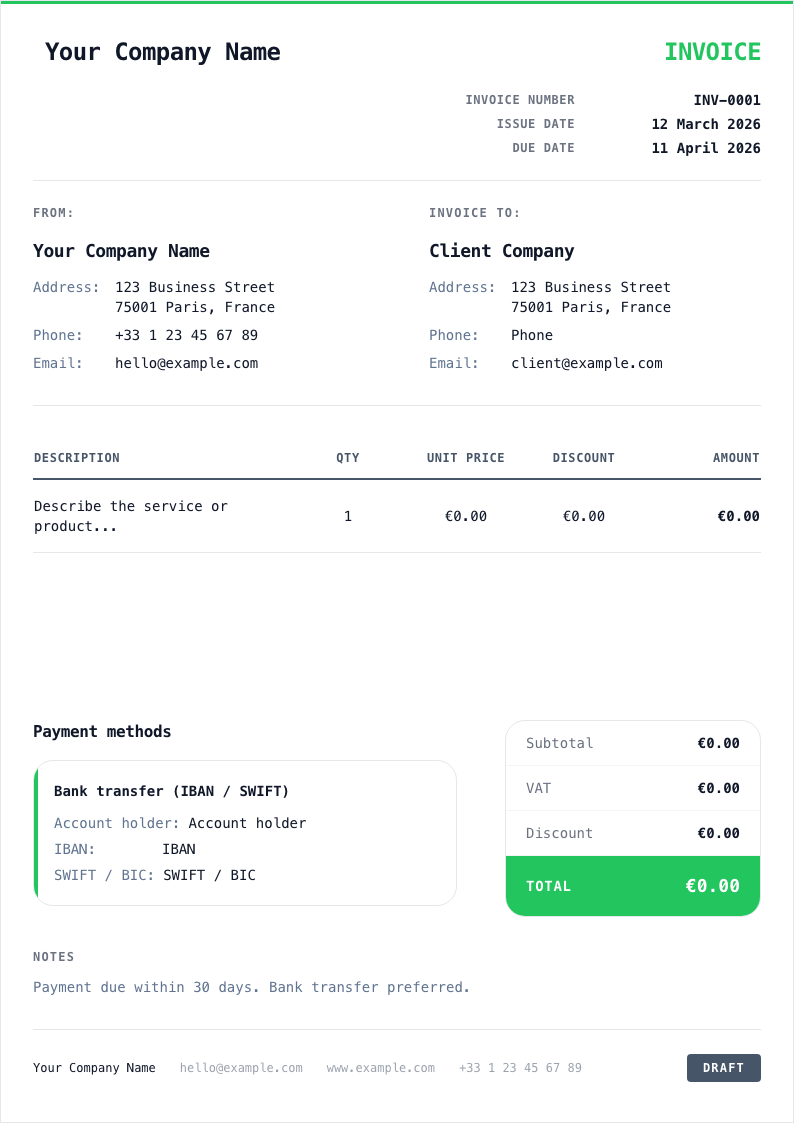
Online template: Clarity Premium
The quickest option is to fill in a template online. Clarity Premium is a clean, minimal layout that works for almost any business. Add your logo and brand colour, and Invoicey numbers the invoice, calculates VAT and totals, and gives you a PDF you can download or email — no formatting by hand.
Create invoice with template →Free Word invoice templates by profession
Prefer to work offline? Download one of these free Microsoft Word templates. Each opens in Word, Google Docs, LibreOffice or Pages; replace the text in [brackets] with your own details and save as PDF before sending.
Freelancer
A simple, stripped-down layout: one header, a few line items and one total. Good for any independent work.
Download .docConsultant
Built for day rates and fixed-fee engagements, with room for the project reference and payment terms.
Download .docContractor
Separates labour and materials, with space for the job address and a deposit already paid.
Download .docWeb designer
For design and development projects billed by milestone, with a short scope summary.
Download .docIT services
For support contracts and call-outs: hours, hardware and a monthly retainer line.
Download .docMarketing agency
For retainers and campaigns, with a line per deliverable and an optional ad-spend line.
Download .docHealthcare
For practitioners and therapists billing sessions, with the session date and practitioner details.
Download .docNeed a Microsoft Word version? Download a free invoice template for Word
Word, Excel, PDF or an invoice generator — which should you use?
All four can produce a valid invoice. The difference is how much work they leave to you and how easy it is to make a mistake.
Word template
Good for: Familiar, fully editable layout; easy to add your logo.
Watch out: No automatic totals or VAT — every number is typed by hand, and invoice numbers are easy to repeat.
Excel or Google Sheets
Good for: Formulas add up line items and VAT for you.
Watch out: Layouts break easily, files multiply, and it is still up to you to keep the numbering sequential.
Fillable PDF
Good for: Looks the same everywhere and is hard to alter by accident.
Watch out: Usually no calculations; editing the layout needs special software.
Invoice generator (Invoicey)
Good for: Automatic numbering, VAT and totals, saved clients, PDF and email in one place — free.
Watch out: Needs a free account and an internet connection.
What every invoice template should include
Whatever format you choose, make sure the finished invoice shows:
- The word “Invoice” and a unique, sequential invoice number
- The issue date and the payment due date
- Your name or business name, address and contact details
- Your VAT or tax registration number, if you have one
- Your client’s name and billing address (and VAT number for B2B sales in the EU)
- A clear description of each product or service, with quantity and unit price
- The subtotal, the VAT rate and amount, and the total due
- Payment instructions: bank details (IBAN/BIC) or a payment link
- Any legally required wording, such as a VAT exemption or reverse-charge note
Tips for different professions
Consultants
State the engagement period and the agreed rate (day rate or fixed fee) on every invoice, and reference the proposal or purchase order. Clients’ finance teams often need that reference to approve payment.
Electricians and trades
Show labour, materials and any call-out fee on separate lines, add the job address, and deduct deposits already paid so the client sees exactly what is left to pay.
IT support
Split recurring retainers from ad-hoc call-outs and hardware. Listing hours by date makes it easier for clients to check your work against tickets.
Designers and creatives
Bill by milestone (concept, revisions, final files) and state what the fee includes — for example, number of revision rounds and usage rights — to avoid disputes later.
Contractors
For longer jobs, send stage invoices tied to agreed milestones rather than one large invoice at the end. It keeps cash flowing and makes each payment easier to approve.
How to fill in an invoice template
- 1Add your business details and logo once, and save the file as your master copy.
- 2Give each invoice the next number in your sequence — never reuse or skip one.
- 3Enter the client’s details, the issue date and the due date.
- 4List each item with a clear description, quantity and price, then check the VAT and total.
- 5Save as PDF, send it to your client and keep a copy for your records.
Invoice template FAQ
Are these invoice templates free?
Yes. The Word templates are free to download and use, with no sign-up. The online Clarity Premium template is also free with a free Invoicey account.
Can I use a Word template for VAT invoices?
Yes, as long as you add every required field — your VAT number, the VAT rate and amount per line, and any exemption or reverse-charge wording. You have to calculate the amounts yourself, which is where an invoice generator saves time.
How should I number my invoices?
Use one unbroken sequence, for example INV-2026-001, INV-2026-002 and so on. Most countries require numbers to be unique and sequential. Our free invoice number generator can help you pick a format.
Should I send invoices as Word or PDF?
Send a PDF. It looks the same on every device, cannot be changed by accident and is what most clients and accounting systems expect. Keep the Word file only as your editable master.
Can I add my logo to the templates?
Yes. In Word, replace the header text with your logo image. In Invoicey, upload your logo once and it appears on every invoice and estimate.