Editorial context: this article is part of our practical invoicing series for freelancers. Always adapt recommendations to your country, tax setup, and client type.
Why Explore Alternatives to PayPal Invoices?
PayPal has long been a favorite for many due to its global accessibility and user-friendly interface. However, it has notable drawbacks:
- High Fees: PayPal's transaction fees can accumulate quickly, particularly for international payments. For freelancers managing numerous transactions, these costs can erode profit margins.
- Account Holds: Unexpected holds on funds can disrupt your cash flow, which is critical for small businesses relying on consistent income.
- Limited Customization: PayPal’s basic invoicing features may not align with your brand or specific requirements, making it challenging to meet client expectations.
Exploring alternatives can lead you to platforms that provide lower fees, enhanced features, and superior customer support.
Top PayPal Invoice Alternatives
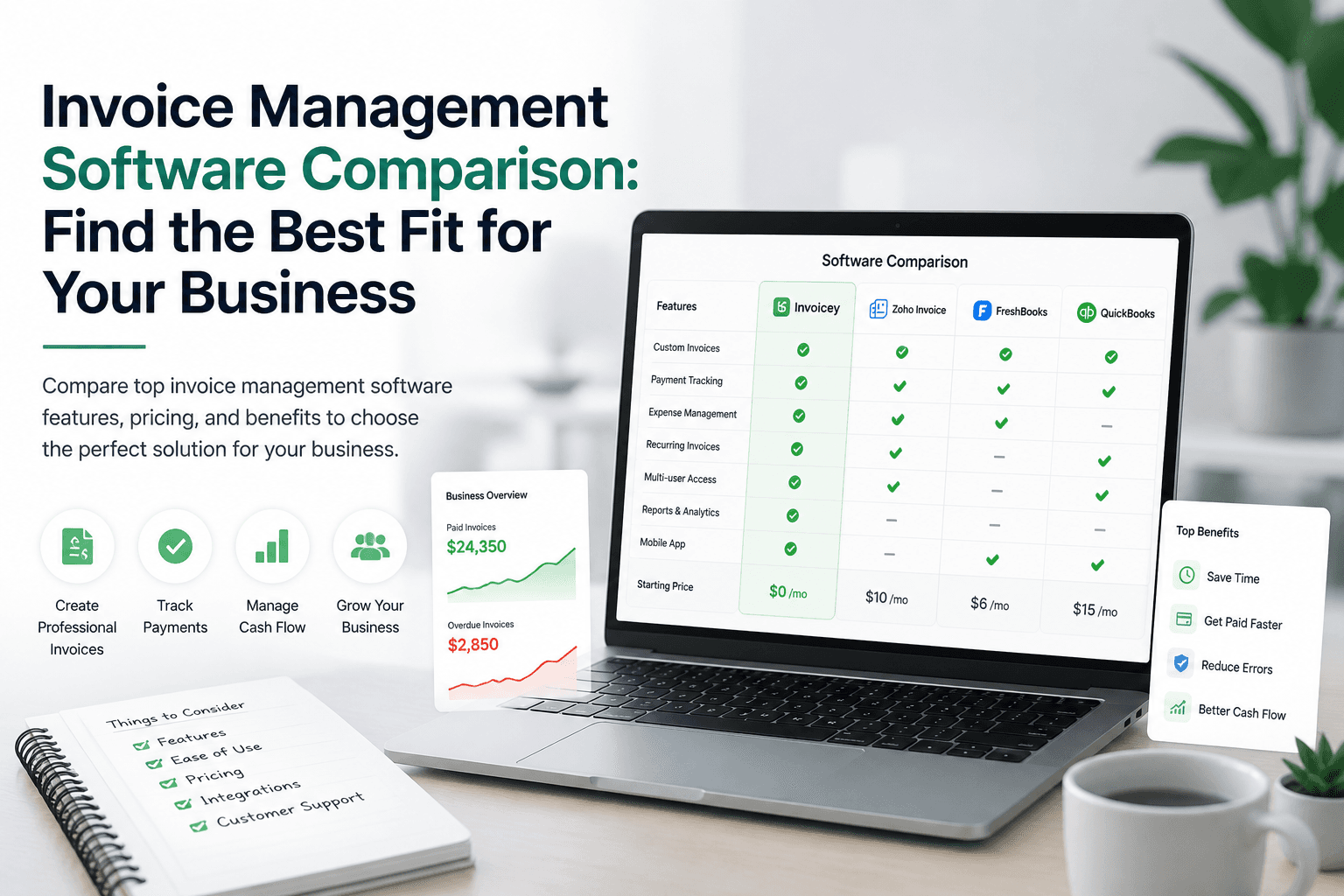
| Platform | Fees | Speed | Best For |
|---|---|---|---|
| Invoicey | Low | Fast | Freelancers, Small Businesses |
| Stripe | Medium | Fast | E-commerce, Tech Startups |
| FreshBooks | Medium | Moderate | Service-Based Businesses |
| Wave | Free | Moderate | Small Businesses, Startups |
Invoicey
Overview
Invoicey is tailored for freelancers and small businesses, streamlining the invoicing process with customizable templates. Users can create professional invoices swiftly, enhancing cash flow and client relationships.
Pros
- Low transaction fees
- User-friendly interface
- Customizable invoice templates
Cons
- Limited integration with some accounting software
Best For
Freelancers and small businesses looking for an economical invoicing solution.
Fees
Invoicey charges minimal fees, making it a budget-friendly option for freelancers. For example, if you process $10,000 in transactions, you could save hundreds compared to PayPal.
How to Use
- Sign up for an Invoicey account.
- Choose a template and customize it to reflect your brand.
- Send invoices directly to clients via email.
Stripe
Overview
Stripe is a powerful payment processing platform with invoicing capabilities, ideal for tech-savvy users. Its developer-friendly API allows for extensive customization and integration.
Pros
- Advanced payment features
- Seamless integration with e-commerce platforms
Cons
- Higher fees compared to some alternatives
Best For
E-commerce businesses and tech startups.
Fees
Stripe typically charges a standard transaction fee of 2.9% + 30¢ per successful card charge. For businesses with high transaction volumes, this can add up, but the extensive features often justify the cost.
How to Use
- Create a Stripe account.
- Set up your payment options and customize invoice templates.
- Integrate with your existing e-commerce platform for smooth transactions.
FreshBooks
Overview
FreshBooks is a comprehensive accounting software that includes robust invoicing features, perfect for service-based businesses. It offers time tracking, expense management, and project management tools.
Pros
- Comprehensive accounting features
- Intuitive interface
Cons
- Monthly subscription fee
Best For
Service-based businesses needing more than just invoicing.
Fees
FreshBooks requires a monthly subscription, starting at $15, which can be worthwhile for businesses leveraging its full suite of features.
How to Use
- Sign up for a FreshBooks plan.
- Customize your invoices with your branding.
- Use its accounting features to track expenses and manage client payments.
Wave
Overview
Wave provides free invoicing and accounting software, making it ideal for small businesses and startups on a budget. It includes features like receipt scanning and personal finance management.
Pros
- Free to use
- Includes essential accounting tools
Cons
- Limited customer support options
Best For
Small businesses and startups seeking a no-cost solution.
Fees
Wave is free for invoicing, but charges apply for credit card processing. If your business primarily deals with cash or bank transfers, this can be a cost-effective choice.
How to Use
- Sign up for a Wave account.
- Create and send invoices at no cost.
- Utilize accounting features to manage your finances.
How to Choose the Right Invoice Platform
When selecting an invoicing platform, consider these factors:
- Cost: Examine the fees associated with each platform, including any hidden costs. For instance, if you process $5,000 monthly, compare how much each platform would charge.
- Features: Identify which features are essential for your business, such as customization, integration, and reporting capabilities.
- Ease of Use: Opt for a platform that is straightforward and easy to navigate. A user-friendly interface can save time and reduce training needs for you and your team.
- Customer Support: Reliable support is crucial when issues arise. Look for platforms that offer multiple support channels, such as chat, email, and phone assistance.
Make the Switch to Invoicey
Choosing the right invoicing platform can significantly impact your business operations. If you’re searching for a cost-effective, user-friendly alternative to PayPal, consider Invoicey. With its low fees and customizable templates, Invoicey is designed to meet the needs of freelancers and small businesses worldwide.
Ready to enhance your invoicing process? Create an invoice with Invoicey today and see the difference.
FAQs
What are the main disadvantages of using PayPal for invoicing?
PayPal’s main drawbacks include high transaction fees, potential account holds, and limited customization options. These factors can negatively affect cash flow and hinder your ability to tailor invoices to your business needs.
How does Invoicey compare to PayPal in terms of fees?
Invoicey generally offers lower transaction fees than PayPal, which can lead to significant savings, especially for freelancers and small businesses handling high transaction volumes.
Can I integrate Invoicey with other accounting software?
Invoicey offers basic integration options, but it may not support all accounting software. Check compatibility with your existing systems or contact Invoicey’s support for specific integration questions.
Is Wave really free to use?
Yes, Wave provides free invoicing and accounting software. However, fees apply for credit card processing and other premium services that users may choose to utilize.
What makes Stripe a good choice for e-commerce businesses?
Stripe excels for e-commerce businesses due to its advanced payment features, seamless integration with online platforms, and support for various payment methods, making it a versatile option for online transactions.
Related resources
Share this article
Ready to streamline your invoicing?
Join 40,000+ freelancers who get paid faster.