Editorial context: this article is part of our practical invoicing series for freelancers. Always adapt recommendations to your country, tax setup, and client type.
Why Freelancers Need an Invoice Generator
Freelancers often juggle multiple clients and projects simultaneously. This can make tracking payments and invoices a nightmare. An invoice generator simplifies this process by automating invoice creation, tracking payments, and sending reminders. Not only does this save time, but it also reduces errors and ensures you get paid on time.
Consider a scenario where you're managing five different clients, each with varying payment terms and invoice requirements. Manually creating and tracking these invoices can lead to errors, missed payments, and strained client relationships. An invoice generator automates these tasks, allowing you to maintain professionalism and efficiency.
E-E-A-T Context: As a global freelancer, you need a reliable tool that adapts to various currencies and tax regulations worldwide. Invoicey offers these features, making it an ideal choice for international freelancers.
Key Features of a Good Invoice Generator
When choosing an invoice generator, you should look for certain features that will make your life easier:
- Customization: The ability to customize invoices with your branding. This includes adding your logo, choosing color schemes, and personalizing invoice fields to reflect your brand's identity.
- Automation: Automatic invoice generation and payment reminders. This feature ensures that you never miss sending an invoice or following up on a payment, reducing the time spent on administrative tasks.
- Integration: Sync with accounting software and payment gateways. Seamless integration with tools like QuickBooks or PayPal can streamline your financial management and make tax season less stressful.
- Multi-currency Support: Essential for freelancers working with international clients. This feature allows you to invoice clients in their local currency, avoiding conversion issues and making your services more appealing to a global market.
Top Invoice Generators Compared
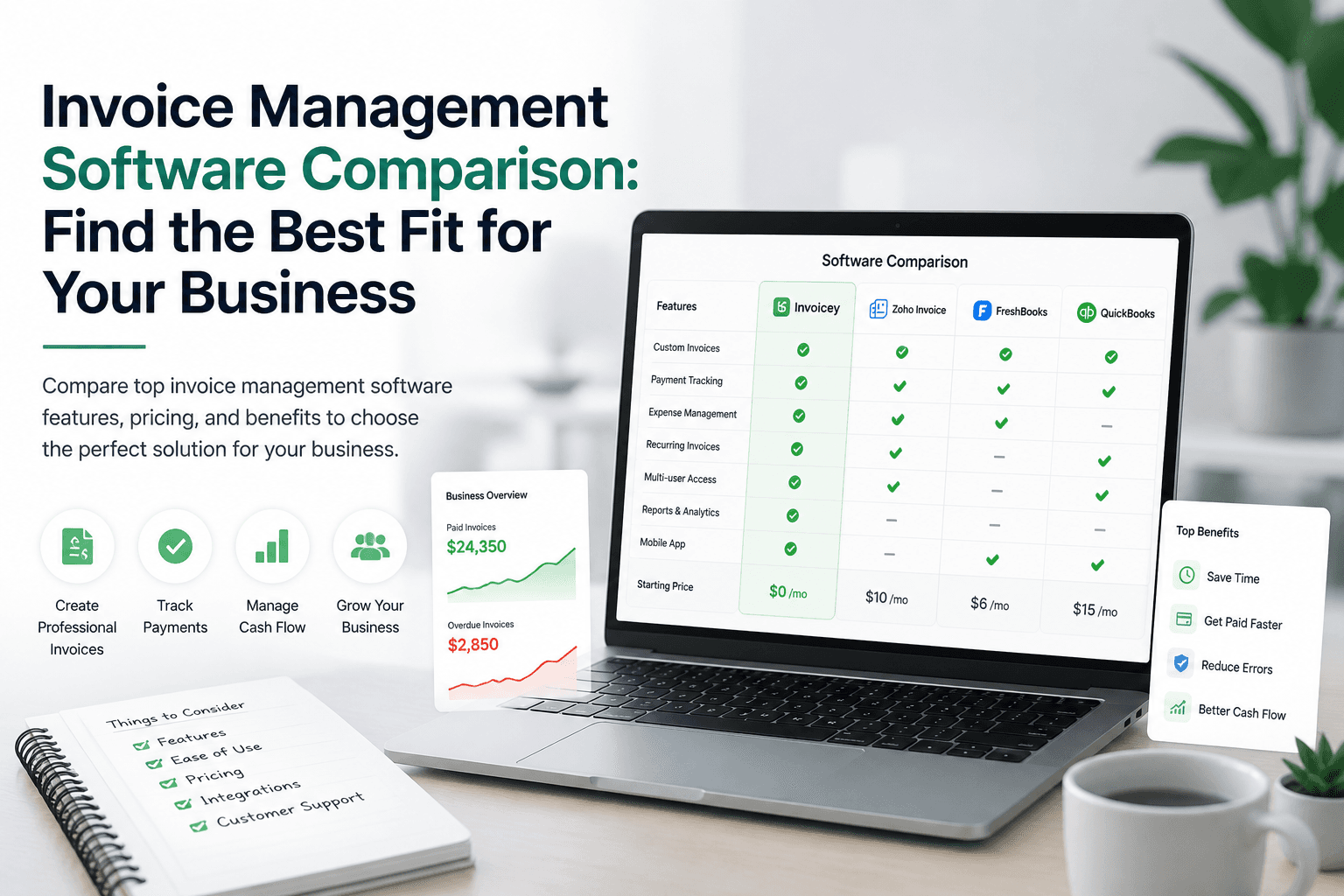
Here's a quick comparison of some popular invoice generators:
| Platform | Fees | Speed | Best For |
|---|---|---|---|
| Invoicey | Free & Paid | Fast | Freelancers & Small Businesses |
| FreshBooks | Paid | Moderate | Small Businesses |
| Wave | Free | Moderate | Freelancers |
In-Depth Comparison
- Invoicey: Known for its user-friendly interface and robust feature set tailored for freelancers. Offers both free and paid plans, making it accessible for those just starting out as well as established freelancers needing more advanced features.
- FreshBooks: Offers a comprehensive suite of accounting tools, including invoicing. While it provides more features, it comes at a higher cost, which might be justified for freelancers who need extensive accounting capabilities.
- Wave: A completely free option that provides basic invoicing capabilities. Ideal for freelancers who are budget-conscious and require simple invoicing without the need for additional accounting features.
Invoicey: The Best Choice for Freelancers
Overview
Invoicey is designed with freelancers in mind. It offers a user-friendly interface and a host of features that cater specifically to the needs of freelancers. The platform is intuitive, allowing even those with minimal technical skills to navigate it easily.
Pros
- User-friendly interface: Easy to navigate, reducing the learning curve for new users.
- Customizable templates: Allows freelancers to maintain a professional image by customizing invoices to match their brand.
- Automated reminders: Ensures timely follow-ups on unpaid invoices, improving cash flow.
- Multi-currency support: Facilitates invoicing international clients without hassle.
Cons
- Limited features in the free version: While the free version is functional, some advanced features are locked behind a paywall.
- Advanced features require a subscription: To access features like detailed analytics and advanced automation, a subscription is necessary.
Best For
Freelancers and small businesses looking for an easy-to-use, reliable invoicing solution. Invoicey is particularly beneficial for those who need to manage multiple clients and projects efficiently.
Fees
Invoicey offers a free version with basic features and a premium version with advanced features at a competitive price. The premium version provides additional tools that can significantly enhance productivity and financial management.
How to Use Invoicey
- Sign Up: Create an account on the Invoicey platform. The registration process is straightforward, requiring basic information to get started.
- Set Up Your Profile: Add your business details and customize your invoice template. This step ensures that your invoices reflect your brand's identity and professionalism.
- Create Invoices: Use the intuitive dashboard to create and send invoices. The process is streamlined, allowing you to generate invoices quickly and accurately.
- Track Payments: Monitor your payments and send reminders automatically. This feature helps maintain a steady cash flow and reduces the time spent on manual follow-ups.
Other Popular Invoice Generators
FreshBooks
Overview: FreshBooks is a comprehensive accounting solution that includes invoicing as part of its suite. It is ideal for freelancers who require more than just invoicing capabilities.
Pros
- Comprehensive accounting features: Offers tools for expense tracking, time tracking, and project management.
- Time-tracking integration: Useful for freelancers who bill clients based on hours worked.
Cons
- More expensive than other options: The cost can be prohibitive for freelancers with limited budgets.
- Can be overwhelming for simple invoicing needs: The extensive features may be unnecessary for those who only need basic invoicing.
Wave
Overview: Wave is a free accounting software that offers invoicing as one of its features. It is an excellent choice for freelancers who need basic invoicing without additional costs.
Pros
- Completely free: Offers a no-cost solution for freelancers.
- Easy to use: The platform is straightforward, making it accessible for users with minimal accounting knowledge.
Cons
- Limited customer support: As a free tool, customer support options are limited compared to paid services.
- Basic features compared to paid options: Lacks some advanced features found in paid tools, such as detailed analytics and integrations.
How to Choose the Right Invoice Generator
When selecting an invoice generator, consider your specific needs. If you require advanced accounting features, a tool like FreshBooks might be suitable. However, if you need a straightforward, cost-effective solution, Invoicey is an excellent choice.
Consider factors such as the complexity of your invoicing needs, the number of clients you manage, and your budget. Additionally, think about the potential for scaling your freelance business and whether the tool can grow with you.
Conclusion: Streamline Your Billing with Invoicey
For freelancers looking to simplify their invoicing process, Invoicey offers the perfect blend of functionality and ease of use. Whether you're just starting or managing multiple clients, Invoicey has the tools you need to get paid faster and more efficiently.
Ready to streamline your invoicing? Try Invoicey today and see the difference it can make for your freelance business.
FAQs
What is an invoice generator?
An invoice generator is a tool that helps you create and send invoices to clients. It automates the process of billing, tracking payments, and sending reminders, making it easier for freelancers to manage their finances.
How does Invoicey help freelancers?
Invoicey simplifies the invoicing process by offering customizable templates, automated reminders, and multi-currency support. This allows freelancers to focus on their work without worrying about billing.
Is Invoicey free to use?
Invoicey offers a free version with basic features. For advanced features like automated reminders and multi-currency support, a subscription is required.
Can I use Invoicey for international clients?
Yes, Invoicey supports multiple currencies, making it ideal for freelancers working with international clients.
How do I get started with Invoicey?
To get started with Invoicey, sign up on their website, set up your profile, and start creating invoices using their intuitive dashboard.
Share this article
Ready to streamline your invoicing?
Join 40,000+ freelancers who get paid faster.