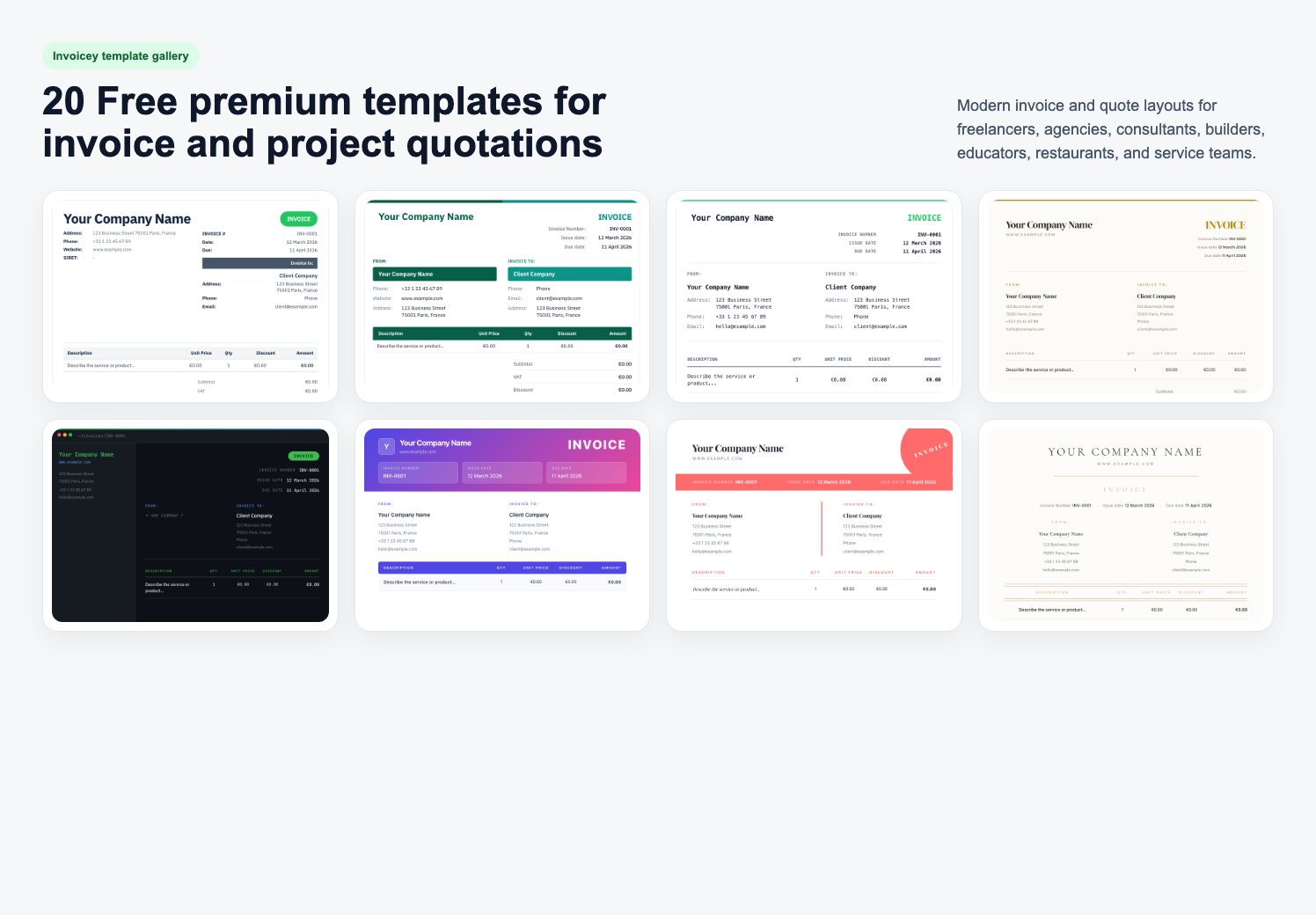
Creating professional invoices can be a daunting task for many. Yet, it's essential for maintaining a polished business image.
Professional invoice templates simplify this process. They offer a structured format that ensures all necessary details are included.
These templates save time and reduce errors. They provide consistency across all your billing documents.
Whether you're a freelancer or a small business owner, using templates can streamline your invoicing.
In this guide, we'll explore how to generate professional invoices easily. We'll cover various templates and tools available to suit your needs.
Why Use Professional Invoice Templates?
Professional invoice templates offer several advantages for businesses. They help maintain a consistent and polished appearance in all communications. This consistency builds trust with clients and enhances your brand image.
Utilizing templates can significantly speed up the invoicing process. Instead of creating invoices from scratch, you can use a pre-made design. This efficiency allows you to focus more on core business activities.
Furthermore, templates minimize the risk of errors and omissions. By following a structured format, you ensure all essential details are present. This reduces potential conflicts with clients over missing information.
Consider these benefits of using professional invoice templates:
- Ensures a unified, professional look across all invoices.
- Saves time with pre-designed formats.
- Reduces errors and disputes.

Choosing the right template ensures a seamless billing experience. It serves as a valuable tool in your business operations.
Types of Professional Invoice Templates
Diverse invoice templates cater to varied business needs. From digital templates to paper formats, options abound. Choose one that aligns with your operation style and brand identity.
Online platforms offer editable templates for quick adjustments. Business invoice templates tailor for industries like consulting and landscaping. You can also find downloadable invoices in formats like PDF, Excel, and Word.
Templates often serve specific functions, whether it's multi-currency support or tax compliance. Explore different types to find what best fits your business requirements. For those using accounting software, seamless integration is a key feature.
Popular types of invoice templates include:
- Free invoice templates
- Editable and customizable templates
- Industry-specific templates
Experiment with designs to achieve the perfect invoice for your business. Remember, the right template enhances brand consistency. It also helps streamline the billing cycle and improves client satisfaction.

Free Invoice Templates: Pros and Cons
Free invoice templates can be a great starting point. They're easily accessible and customizable to suit various needs. However, they might lack features crucial for specific industries.
Pros of free invoice templates include:
- Cost-saving with no initial investment
- Easily downloadable from various online sources
- Suitable for beginners and small businesses
On the downside, free templates often have limitations. They may lack advanced functionalities, like integrations or detailed customizations. For businesses needing more features, premium options might be necessary.
Microsoft Word Professional Services Invoice Templates
Microsoft Word offers professional services invoice templates that are user-friendly. These templates come pre-formatted, making customization a breeze. You can add company logos and adjust layout with minimal effort.
Benefits of using Word invoice templates include:
- Easy customization with familiar tools
- Professional look and feel
- Versatility in design options
These templates are ideal for businesses already using Microsoft Office. They offer a straightforward approach to invoicing without needing specialized skills.

Additionally, Word templates are perfect for those who prefer working offline. They ensure consistent invoice design across all documents.
Business Invoice Templates for Different Industries
Business invoice templates vary across industries. You can choose designs that fit service-specific needs. For instance, creatives might prefer unique layouts, while consultants focus on itemization.
Industry-focused template features can include:
- Specific sections for detailed service descriptions
- Space for industry compliance information
- Adjustments for variable billing methods
Using industry-specific templates ensures that essential details are captured. This reduces errors and helps maintain professional standards.

Templates tailored to industries streamline invoicing processes. They make accurate billing straightforward and reduce potential client confusion.
Simple Invoice Templates for Freelancers
Freelancers benefit from simple invoice templates. These templates focus on key details without unnecessary complexity. Ideal for straightforward billing, they ensure clarity in transactions.
Advantages of simple templates for freelancers:
- Quick setup and use
- Minimal fields for essential information
- Compatibility with various platforms
Although these templates are basic, they meet invoicing needs effectively. They allow freelancers to maintain professionalism effortlessly.
Remember, simplicity doesn't mean sacrificing professionalism. Simple templates provide clear, concise invoicing solutions.
Specialized Templates: Landscaping, Consulting, and More
Specialized templates cater to niche business sectors. Landscaping businesses, for example, require specific billing details. Consulting templates might include sections for hourly rates or project milestones.
Features of specialized invoice templates might include:
- Custom fields for specific industries
- Integration with industry-specific software
- Pre-designed layouts for unique services
These templates deliver tailored solutions for distinct needs. Selecting the right template simplifies the invoicing process. It also ensures compliance with industry standards.

Industries like landscaping, consulting, or creative services benefit from specialized templates. They provide clarity and organization specific to the field.
Key Features of a Professional Invoice Template
Professional invoice templates include essential features to enhance functionality. These elements ensure clarity and facilitate prompt payments. They provide a uniform style that reflects professionalism.
Key features often include:
- Business name and contact information
- Itemized list of services or products
- Total amount due and payment terms
These components help avoid misunderstandings and disputes. Including payment methods speeds up processing. Adding due dates encourages timely payment from clients.
Customized fields for industry-specific requirements add value. They ensure compliance and strengthen client relationships. Effective template design supports your business's branding efforts.

A well-designed invoice template integrates seamlessly with existing systems. It also supports digital storage and sharing, streamlining overall workflow.
How to Customize and Edit Invoice Templates
Customizing invoice templates allows you to create documents that align with your brand identity. This process is simple and can significantly improve your business image. By editing templates, you can tailor them to specific client needs.
Start by selecting a template that fits your business style. Modify elements such as:
- Colors and fonts
- Company logo and branding
- Payment terms and conditions
These edits make your invoices distinct and professional. Utilize software tools for easy adjustments. Platforms like Word and Excel offer user-friendly options.

Regularly updating templates ensures they stay current with industry standards. This customization process streamlines invoicing and enhances client trust. Adjusting as needed allows for flexibility and better communication.
Using Invoice Templates with Accounting Software
Integrating invoice templates with accounting software can enhance efficiency. This combination simplifies record-keeping and financial tracking. It ensures that invoices are consistent with accounting records.
Many accounting platforms support various templates. Benefits of integration include:
- Automatic invoice tracking
- Seamless data synchronization
- Reduced manual errors

Using accounting software eliminates redundant data entry, saving time. It also offers analytics tools for better financial insights. As a result, businesses can make informed decisions quickly, supported by up-to-date financial information. This integration streamlines your overall invoicing process, making it more reliable and efficient for both you and your clients.
Step-by-Step Guide: Generating a Professional Invoice
Creating a professional invoice can be straightforward. Follow these steps to ensure your invoice looks polished and clear.
First, select a suitable template. Choose one that fits your business and branding. Consistency in template use helps build trust.
Next, fill in essential details. Include your company name, contact info, and client details. Make sure everything is accurate.
Then, list services or products provided. Itemize them with descriptions and prices. A clear listing avoids confusion.
Add payment terms and due dates. Specify accepted payment methods for clarity. This helps clients know when and how to pay.
Finally, review the invoice for errors. Double-check all numbers and details. Ensuring accuracy can prevent delays and disputes.
- Select a template
- Fill in company and client details
- Itemize services/products
- Add payment terms
- Review for accuracy

These steps create a professional invoice effortlessly. With practice, invoicing becomes a quick task, supporting a smooth business operation.
Tips for Streamlining Your Invoicing Process
Streamlining invoicing can greatly boost efficiency. Aim for simplicity and automation to enhance productivity.
Utilize software that automates recurring invoices. Automation saves time and reduces human error. Such tools keep your invoices consistent and professional.
Keep these tips in mind:
- Automate recurring invoices
- Regularly update client information
- Use templates for consistency
- Schedule time for regular invoicing tasks
- Keep digital backups of all invoices
By integrating these strategies, invoicing becomes less cumbersome. It allows more focus on growing your business and nurturing client relationships.
Frequently Asked Questions About Invoice Templates
Invoice templates can sometimes be confusing. Here, we address some common concerns to help you. A clearer understanding ensures effective use.
What are invoice templates?
Invoice templates are pre-designed layouts for creating invoices. They simplify the billing process. Templates ensure that all necessary details are included.
Can I customize my invoice template?
Yes, most templates are customizable. Add your company logo, contact information, and change colors. This makes the invoice unique to your brand.
Common FAQs include:
- What formats are available?
- Are there templates for different industries?
- How do I choose the right template?
Answering these questions assists in maximizing the benefits of using invoice templates.
Conclusion: Make Invoicing Effortless and Professional
Professional invoice templates streamline your billing process. They ensure consistency and enhance your business's image. By choosing the right template, you save time and reduce errors.
Whether you're a freelancer or a business owner, using templates simplifies invoicing. They help present a polished and organized front to clients. Embrace the ease and professionalism that templates bring to your workflow. Ready to try it? Create a free invoice or explore our template gallery.
Share this article
Inizia a fatturare gratis
Unisciti a oltre 40.000 freelancer che vengono pagati più velocemente.